
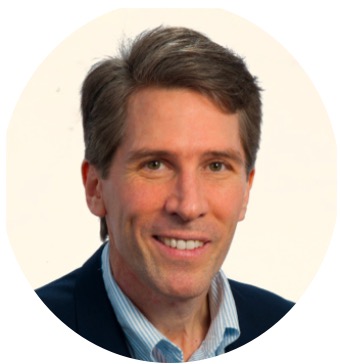
About
Hello. First of all, I want to thank you for visiting. My name is Daniel Gogek.
You’ll find below a quick overview of … .
[2024 About Page … Using SFAP v. 3.0]
5 minute read
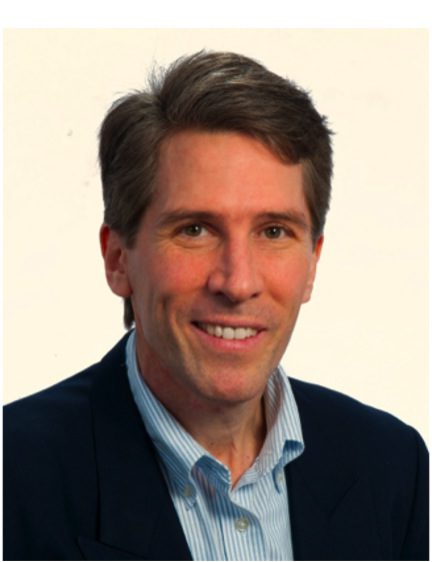
Basic Idea: Possibly have a Slider of 2 or more photos.
 “The first principle is don’t fool yourself — and you are the easiest person to fool.” Nobel Prize-winning physicist Richard Feynman

Bio in Brief
[Aug. 18, 2024]: Consistent with the Modus Op set out in Mac4 and Mach, Stoicism, etc., the basic thoughts are: (1) if you use the SFSP 3.0 … the ‘Idea in Brief’ section should have the title ‘Bio in Brief’ … and (2) virtually all of the content needs to be presented here with a clear implementation of the core Mach realities … namely the core principle that Most people … the vast majority … only SEE you or the external materials on or by you, very few actually experience you. That said, it remains a core principle that you can augment the impact of the initial ‘seeing’ by also making sure that your content provides a memorable UX and thus ‘experience’ of you. THAT is why the second core principle in virtually all the L2 level content is make sure there are a number of UX’s in and via your free content that produces a memorable bit of episodic memory for the reader/visitor.
[June 5, 2024]: I’m now adding further text to this initial Text Module 1, as I did in the Testing Version of this SFAP. The aim is to see how it looks to have a relatively full Idea in Brief section that’s about the same height as the Related Articles box on the right. [June 4, 2024]: This is a new Text Module 1 in this Column…
In Practice [Text Module 2]
[June 3, 2024]: Based on what I’ve done so far, it looks like the bouncing occurs or can occur when there’s TOO MUCH text in a single Text Module that then needs to get formatted into two columns according to the CSS code. …
Action Steps [Text Module 3]
[June 4, 2024]. This is new text. The idea is to have a concise summ of the key action step a reader should start taking.
Related Topics or Articles
Introduction
This is actually the basic ROW now that holds the full Body of the Article. The title ‘Introduction’ was set out in its own Row. Note that THIS Row must contain all the Text Modules of the Body … so they appear in the TOC before the ‘References, Recommendations, and Further Reading.’
See also now the Single Guide for the SFCP and this SFAP version 3.0 … and how the SFAP is a core tool in the PTFE System. In retrospect, it has been a FANTASTIC move and decision to rebuild this SFAP 3.0 from scratch. The further key cardinal decision is that when writing a new Article|Page, ALL internal notes and drafting comments go IN the Word Doc Project Definition Doc for that Article|Page.
Subheading 1 in the Intro [H3]
This would be the basic text of a first Subheading in the Introduction. Sometimes this IS very helpful for the reader. It will vary depending on the Article. Note that I now think these Subheadings should be about the same font size as the Text. They already stand out because they are a separate heading, and they are in bold. I’ve placed a 1 1/2 para space just above the H3 Subheadings. A full carriage return (two para spaces) is too much.
Subheading 2 [H3]
This would be text under the second Subheading the in Intro. Note that I generally think the first Footnote/Sidenote in the Intro/Body should come (at the earliest) at the end of the Intro. Generally, you want to keep the Introduction extremely simple and fast-paced pcmf/story.1As a general rule, I think you want to develop a kind of standard practice for the first Footnote/Sidenote: for example, it should get straight to a kind of personal recommendation from me. That would nicely set the tone that these are NOT classic ‘references’ just there as citations. These are intended to provide a lot of further VALUE and UX.
Body, Section 1 Title [H2, black.]
This is a separate Text Module for Body Section 1. It necessarily must remain in the same ROW for the full Article Body.2THIS is where you can now start to get into more serious setting out of cites and references.
Subheading 1 [H3]: The question though is what does this look like as a longer subheading?
This now tests a Subheading sub-section where the Subheading title is a short sentence or perhaps a question. The H3 line height should be set throughout at 1.1em. The default setting of 1em makes these lines a bit too close.
Subheading 2 [H3]
This would be text under the second Subheading the in Intro. Note that I generally think the first Footnote/Sidenote in the Intro/Body should come (at the earliest) at the end of the Intro. Generally, you want to keep the Introduction extremely simple and fast-paced pcmf/story.
This is Option 1 for including an Image and Text within the Body of the Article: Text Module … with the Sizing adjusted in Design to make the image smaller (e.g., 3/4 size) (Settings: Margins on L and R to 100px, Font Size: 12px). Text Module allows you to have text below the image … in the SAME Text Module.
Body, Section 2 Title [H2, black.]
This is the OPENING SENTENCE for Body Section 2. Set out in the Single Guide how even an Opening Sentence of a section must still be a great opener … intriguing … creating an info gap or other element that triggers curiosity.3THIS is where you can now start to get into more serious setting out of cites and references.
Subheading 1: What If … ____?
This now tests a Subheading sub-section where the Subheading title is a short sentence or perhaps a question. The H3 line height should be set throughout at 1.1em. The default setting of 1em makes these lines a bit too close.
Subheading 2
This would be text under the second Subheading the in Intro. Note that I generally think the first Footnote/Sidenote in the Intro/Body should come (at the earliest) at the end of the Intro. Generally, you want to keep the Introduction extremely simple and fast-paced pcmf/story.
Body, Section 3 Title [H2, black.]
This is a separate Text Module for Body Section 1. It necessarily must remain in the same ROW for the full Article Body.4THIS is where you can now start to get into more serious setting out of cites and references.
Subheading 1 [H3]
This now tests a Subheading sub-section where the Subheading title is a short sentence or perhaps a question. The H3 line height should be set throughout at 1.1em. The default setting of 1em makes these lines a bit too close.
Subheading 2 [H3]
This would be text under the second Subheading the in Intro. Note that I generally think the first Footnote/Sidenote in the Intro/Body should come (at the earliest) at the end of the Intro. Generally, you want to keep the Introduction extremely simple and fast-paced pcmf/story.
Key Takeaways | Take Action [H2, black.]
This is a separate Text Module for Body Section 1. It necessarily must remain in the same ROW for the full Article Body.5THIS is where you can now start to get into more serious setting out of cites and references.
Key Takeaway(s) [H3]
This now tests a Subheading sub-section where the Subheading title is a short sentence or perhaps a question. The H3 line height should be set throughout at 1.1em. The default setting of 1em makes these lines a bit too close.
Take Action [H3]
This would be text under the second Subheading the in Intro. Note that I generally think the first Footnote/Sidenote in the Intro/Body should come (at the earliest) at the end of the Intro. Generally, you want to keep the Introduction extremely simple and fast-paced pcmf/story.
References & Further Reading
- 1As a general rule, I think you want to develop a kind of standard practice for the first Footnote/Sidenote: for example, it should get straight to a kind of personal recommendation from me. That would nicely set the tone that these are NOT classic ‘references’ just there as citations. These are intended to provide a lot of further VALUE and UX.
- 2THIS is where you can now start to get into more serious setting out of cites and references.
- 3THIS is where you can now start to get into more serious setting out of cites and references.
- 4THIS is where you can now start to get into more serious setting out of cites and references.
- 5THIS is where you can now start to get into more serious setting out of cites and references.